
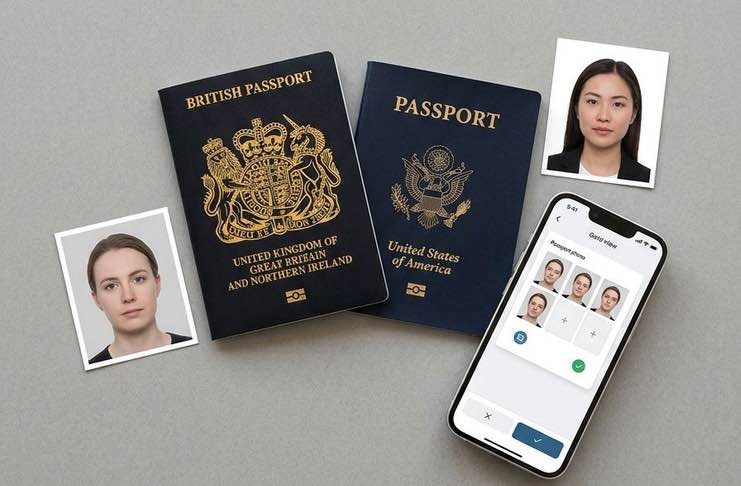
What Changed in 2025 — and Why Your Old App May Now Get You Rejected
Most people treat passport photos as an afterthought. Find an app, take a selfie, pony up a few bucks, and you’re done. This was a decent approach right up until late 2025, when a blizzard of regulatory changes — in the US, the UK, and internationally — quietly rendered a whole bunch of popular passport photo apps non-compliant, if not actually dangerous to use.
If you didn’t renew your passport before October 2025, the rules you followed last time are no longer in effect. Here’s what actually changed.
Banned in the US: Digitally Edited Photos (Oct/Nov 2025)
The U.S. Department of State revised its official instructions in October 2025, with full implementation effective November 2025. The new policy is clear: applicants should not submit a photo that was “generated or manipulated by AI or other digital means.” This includes background replacement, skin smoothing, lighting adjustment, color correction, and any filter — including the automatic beauty filters that come with many smartphones.
That has a practical consequence. Many passport photo apps — including some well-regarded ones — operate by automatically modifying the photo you upload: swapping out the background, lightening complexions, or increasing contrast. US regulations currently consider photos processed this way to be automatically invalid. Per reporting that has since been corroborated by official State Department language, this policy is now being applied at submission, with no window in which to appeal.
Apps that only measure compliance — checking head position, frame size, or background color without modifying the actual photo — are still permitted. It’s a distinction that matters, and one that most app review articles fail to clarify.
The UK’s New One-Month Recency Rule (Sept 2025)
The UK revised its official photograph guidance in September 2025 (Photo Standards document v47.0). The biggest change for applicants: passport photos submitted with UK applications must now have been taken within the last month. Previously, photos taken within six months were acceptable.
This change has two effects for app users. First, if you’re renewing a UK passport, you cannot reuse a photo from a recent trip or a previous application — not even one from a couple of months ago. Second, when an app asks you to upload photos already on your camera roll without verifying dates, that’s a real compliance risk. The UK’s more stringent automated rejection systems now also flag photos with non-compliant backgrounds, inappropriate lighting conditions, and — possibly — metadata inconsistencies that could indicate an older photo was used.
ICAO’s New Biometric Encoding Standard — Coming for All Applications
Alongside the US and UK changes, the International Civil Aviation Organization (ICAO) has revised its biometric data encoding standard from ISO/IEC 19794:2005 to ISO/IEC 39794 (2nd Edition). The rollout covers all 193 ICAO member nations and is scheduled through 2026.
The revised standard allows for larger facial images with more metadata, which should improve facial recognition at borders and automated e-passport readers. For app developers, this means the new standard applies stronger, more explicitly encoded measurements for head-to-frame ratio and eye-height placement — tolerances that were previously loose are now precise. Apps that haven’t updated their validation logic to account for this are likely to produce photos that pass older checks but fail newer ones.
Quick Answer: Best Passport Photo Apps for UK and US in 2026
If you need a compliant passport photo right now and don’t want to read the full breakdown, here’s the short version: for UK applicants, PhotoGov UK delivers a human-verified, government-standard photo with instant download and no photo manipulation — making it one of the safest choices under the current one-month recency rule. For US applicants, the priority in 2026 is finding a service that does not alter your image and provides a clear compliance record — the ranked list below identifies which tools meet that bar and which don’t.
For everyone else — dual citizens, frequent travelers, families applying together, or anyone who has had a photo rejected before and wants to understand why — the sections below explain exactly what the current rules require, where most apps fall short, and how to pick the right tool for your specific situation.
Before You Choose Any App — What Does “Compliant” Really Mean?
“Compliant” is the one word every passport photo app uses in its marketing. It appears in app store descriptions, on pricing pages, and in large text in comparison articles. But the problem is that compliance is not one standard — it’s a moving target that varies by country, changes with regulatory updates, and means different things depending on whether you’re submitting a printed photo or a digital file. It’s worth understanding what you’re actually looking for before testing any tool.
UK Requirements at a Glance
From the official guidance at gov.uk, the following criteria must be met for a UK passport photo to be compliant:
- Size: 45mm high × 35mm wide (hard copy); the same proportions are required for online submissions
- Head height: Your face from the top of your head to your chin should measure between 29mm and 34mm
- Background: A plain cream or light grey background — not pure white (this differs from the US requirement)
- Recency: Taken within the last month (rule effective September 2025)
- Expression: Neutral expression, mouth closed, eyes open and clearly visible
- Glasses: Not allowed except for medical reasons; sunglasses and tinted lenses are not permitted
- Format (digital): JPEG or PNG, no manipulation with editing software
The cream/light grey background requirement catches a lot of US-based app users off guard. Tools designed primarily for the US default to a pure white background, which is not compliant for UK submissions. It’s a minor distinction, but one that automated rejection systems are increasingly able to catch.
US Requirements at a Glance
According to the official U.S. Department of State guidance, a compliant US passport photo must be:
- Size: 2 × 2 inches (51 × 51mm); square format
- Head height: From 1 inch to 1⅜ inches (25 to 35mm) from chin to top of head
- Background: Solid white or off-white
- Recency: Within six months
- Expression: Neutral, mouth closed, eyes open
- Glasses: Not allowed (no exceptions for routine applications)
- Processing: No filters, retouching, background replacement, or any digital manipulation (policy implemented October 2025)
- Format (digital): JPG, PNG, HEIC, or HEIF; file size 54KB to 10MB for online applications
The no-editing policy deserves emphasis. State Department language now explicitly states that you cannot submit a photo altered with “computer software, phone apps, or filters, or artificial intelligence.” It’s not a gray area — it applies to the automatic processing that most photo apps perform by default.
Watch this video to get a glimpse of how to do it:
The One Rule That Trips Everyone Up
The background editing issue is where the 2025 US rule change hits hardest. Almost all passport photo apps — including highly rated, paid services — automatically remove or replace the background of the photo you upload. For UK applicants, this remains permitted as long as the replacement background is the correct color. For US applicants, under the current rule, any background that was replaced digitally — rather than being the physical background present when the photo was taken — is non-compliant.
That doesn’t mean every US application with a digitally altered background will be caught and denied. Enforcement is imperfect, and human reviewers have discretion. But the risk is real, the policy is clear, and a denial means starting over with new photos and waiting even longer for your passport. The apps that rank highest in this guide earn that position through design, not just marketing copy.
“Red Flags” — Apps We Can’t Recommend in 2026
Not all passport photo apps belong in a ranked list. Some tools that were good enough a couple of years ago now carry compliance risks that didn’t previously exist. Rather than padding out the ranking with services that have known issues, here are the categories of apps you should avoid — and why.
Apps That Automatically Replace Your Background
Automatic background replacement is a manageable risk for UK applicants — provided the output color is correct. For US applicants, it directly violates current State Department guidelines. Any app that takes your original background and replaces it with a digital white background is producing a photo that has been “edited using digital tools” — exactly what the October 2025 guidance prohibits.
The problem is that background replacement is so common in this category that many apps don’t even mention it as a feature — it simply happens when you upload a photo. If an app’s product page leads with a phrase like “just upload a selfie and we’ll take care of the rest,” that language almost always means background editing is part of the pipeline. For US passport applications, that’s a warning sign, not a selling point.
Apps With No Human Supervision Layer
Automated compliance verification — checking head position, frame ratios, and background color — is genuinely useful. But it reliably misses the subtler issues that cause real-world rejections: shadows that are slightly too strong, hair encroaching on the hairline measurement zone, or a background that reads as compliant to a scanner but not to a human reviewer.
Apps with no human verification step and no acceptance guarantee put all of that risk on you. Given that a rejected passport photo delays an application by two to six weeks — and that government fees are non-refundable — that’s a significant risk to take in order to save a few dollars.
Free Apps With No Compliance Verification
Free passport photo tools cover a range of quality. The better ones offer auto-crop and auto-resize, which is a useful starting point. What virtually none of them provide is compliance verification, background quality control, or an acceptance guarantee. Several tools reviewed in competitor comparisons were found to produce output images below the minimum acceptable DPI or to embed watermarks that would result in immediate rejection.
If you have a rush passport application or if you’ve previously had a photo rejected, a free tool should not be your first stop. The cost difference between a free app and a reputable paid service is generally under $15. The cost of a rejection — in resubmission time, reprinting, and potential disruption to travel plans — is considerably higher.
Apps Not Yet Updated for 2025/2026 Rule Changes
This may be the most problematic category, because these apps look legitimate at first glance. They have polished interfaces, reasonable prices, and reviews from users who successfully used them in 2023 or 2024. But if an app’s compliance logic hasn’t been updated to account for the US editing ban, the UK recency rule, or the new ICAO biometric encoding standard, it is still validating photos against outdated criteria.
A simple practical test: look for any reference to the US October 2025 photo policy, the UK one-month rule, or ISO/IEC 39794 anywhere on the app’s website or blog. An app that is actively maintaining its compliance standards will acknowledge these changes. One whose guidance hasn’t been updated since mid-2024 has almost certainly not updated its validation logic either.
The 2026 Ranked List — Best Apps for UK, US, or Both
These tools met four key criteria under current 2025/2026 regulations: accuracy in compliance with both UK and US standards, transparency about whether photo content is edited, a human review layer, and cost relative to the guarantees provided. Apps are listed in order of overall reliability, based on how likely the photos they produce are to be accepted on the first submission.
#1 — PhotoGov
Top choice for: UK applicants | Also covers: US, EU, and 50+ countries
PhotoGov UK‘s workflow is built around verification, not transformation. Rather than sending your image through an automatic manipulation pipeline, each submission is reviewed by a human expert who checks your photo against current government standards before the final file is delivered. The result is a service where compliance isn’t just asserted by an algorithm — it’s confirmed by a person.
For UK applicants in particular, the service’s up-to-date knowledge of current HM Passport Office standards — including the September 2025 recency guidance and the cream/light grey background requirement — makes it a stronger choice than apps designed primarily for US or international users. Applicants can download their verified photo instantly after review, with print delivery available for applications that require hard copies.
- Price: Mid-range, competitive with other verified UK services
- Human review: Yes
- Acceptance guarantee: Yes
- Alters photo content: No — compliance checking only
#2 — Passport Photo Online
Best for: US and UK applicants; broad country coverage
Passport Photo Online is one of the more established names in this space, and for good reason — its automated compliance checking, combined with an on-demand human expert review layer available 24/7, supports more than 100 countries. US applicants should note that the service offers a clear acceptance guarantee and a written refund policy if your photo is rejected.
The key caveat for US applicants under the current rules is to confirm whether the service’s background processing qualifies as digital modification under the State Department’s current guidance. The service is reputable and has updated its instructions to reflect 2025 changes, but applicants should verify the exact processing steps before submitting.
- Price: ~£9.95 (UK digital download)
- Human review: Yes, 24/7
- Acceptance guarantee: Yes
- Country coverage: 100+
#3 — PhotoAiD
Best for: US applicants who want print delivery | Also good for: UK applicants
PhotoAiD is a solid all-rounder with a well-built native app for iOS and Android, a straightforward compliance verification process, and one of the better print delivery options in this category — physical prints can be delivered within 72 hours on the highest tier. Its real-time head-positioning guidance during photo capture is more detailed than most competing services, which reduces the likelihood of needing to reshoot.
For US applicants, PhotoAiD’s explicit acceptance guarantee and human review step make it a reliable choice. As with all services in this category, US applicants should read the current terms carefully to confirm compliance with the October 2025 editing rules. The service has a strong update history and is more likely than most to have adjusted its pipeline accordingly.
- Price: Free to download; fee for verified digital output
- Human review: Yes
- Acceptance guarantee: Yes
- Print delivery: Yes (premium tier), within 72 hours
#4 — iVisa Photos
Best for: Frequent travelers and visa applicants across multiple countries
iVisa Photos is a passport photo service that also offers extensive travel document support, including visa photos for a wide range of countries — a practical option for those who regularly travel internationally and need to meet different photo specifications. The app supports a variety of document types beyond passports, including country-specific visa photos. It is well-rated on both iOS and Android, and the submission process is straightforward.
For applicants needing both UK and US documents, iVisa’s country-specific templates mean you don’t need to worry about submitting a US-sized photo for a UK application, or vice versa. It ranks lower than the top three because its human verification process is less prominent and its acceptance guarantee terms are more limited.
- Price: Free to download; per-photo fee for verified output
- Human review: Partial — automated by default, human review optional
- Acceptance guarantee: Limited
- Best for: Multi-country travelers, visa applications
#5 — Smartphone iD
Best for: UK applicants on a budget | Particularly good for: Online UK passport applications
Smartphone iD is a UK-based service that positions itself as a replacement for the high-street photo booth — and on cost, it delivers. At a fraction of the price of a booth, it produces a compliant digital photo verified against UK government standards, including the correct background shade and current size requirements. During photo capture, the app displays a real-time outline overlay to help users align correctly on the first attempt.
The app’s main limitation is its narrower country focus. It’s suitable for UK passport and ID applications but is not designed for US passport photos or multi-country document needs. For anyone who only needs a UK-compliant photo and wants a reliable budget option, it’s one of the more dependable choices available.
- Price: Substantially less than a photo booth
- Human review: Yes — human verification for ICAO compliance
- Acceptance guarantee: Yes
- Country coverage: Primarily UK
#6–#8 — Honorable Mentions
CEWE Passport Photo (UK): A strong option for UK customers who want to collect physical prints from a retail outlet. The app checks photos against ICAO standards in real time and generates a QR code redeemable at CEWE Photostations in participating Boots stores. Useful for those who need printed photos quickly without waiting for postal delivery. Not suitable for US submissions.
Pics4Pass: A free browser-based tool that offers basic compliance checking and automatic cropping. More reliable than many free alternatives — its automated validation catches common mistakes before download. It does not perform background removal, which is actually an advantage for US applicants under the current rules. Best treated as a useful indicator rather than a definitive compliance check.
IDPhoto4You: A free online service requiring no registration, supporting 73 countries. A reasonable option for straightforward cases where you already have a good photo and simply need it resized correctly. No compliance verification, no background removal, and no human review — you are responsible for confirming the output meets current requirements.
Side-by-Side Comparison Table
The table below compares each tool against the most important criteria for 2026 requirements. “UK Compliant” and “US Compliant” indicate whether the service’s workflow is currently aligned with each country’s regulations — including the UK’s one-month recency requirement and the US prohibition on digitally altered photos. “Alters Photo” indicates whether the service modifies the image (background, lighting, skin tone) during its standard workflow, which is the primary risk factor for US applicants.
| Tool | UK Compliant | US Compliant | Human Review | Alters Photo | Acceptance Guarantee | Price Range | Best For |
| PhotoGov | ✅ Yes | ✅ Yes | ✅ Yes | ❌ No | ✅ Yes | Mid | UK applicants; verified compliance |
| Passport Photo Online | ✅ Yes | ✅ Yes | ✅ Yes (24/7) | ⚠️ Verify | ✅ Yes | Mid (~$9.95) | Broad country coverage; US + UK |
| PhotoAiD | ✅ Yes | ⚠️ Verify | ✅ Yes | ⚠️ Verify | ✅ Yes | Free + fee | Print delivery; US applicants |
| iVisa Photos | ✅ Yes | ✅ Yes | ⚠️ Partial | ⚠️ Verify | ⚠️ Limited | Free + fee | Multi-country travelers |
| Smartphone iD | ✅ Yes | ❌ No | ✅ Yes | ❌ No | ✅ Yes | Budget | UK-only; booth alternative |
| CEWE Passport Photo | ✅ Yes | ❌ No | ✅ Yes (ICAO) | ❌ No | ⚠️ Limited | Low | UK in-store print pickup |
| Pics4Pass | ⚠️ Partial | ⚠️ Partial | ❌ No | ❌ No | ❌ No | Free | Starting point; no background swap |
| IDPhoto4You | ⚠️ Partial | ⚠️ Partial | ❌ No | ❌ No | ❌ No | Free | Sizing only; experienced users |
Common Questions
Do I need different apps for UK and US passport photos? Not necessarily different apps — you just need one that explicitly supports both. The key differences: the UK uses a cream/grey background in portrait format (45×35mm), while the US uses a white background in square format (2×2 inches). A tool defaulting to US specifications will produce a non-compliant UK photo, and vice versa.
Can I take my own photo for a US passport renewal? Yes — but turn off all automatic enhancements on your phone first. Portrait mode, beauty filters, and computational brightness adjustments all constitute digital editing under the current State Department rules. The photo itself can be self-taken; the issue is any automatic processing applied to it.
Why did my passport photo get rejected even though I used an app? Apps check for compliance against a broad set of rules — but human reviewers catch what algorithms miss. Common causes of rejection include shadows that are too pronounced, hair encroaching on the hairline measurement zone, or a background that is technically the correct color but not sufficiently uniform. Your rejection notice will specify the reason; that should guide your retake, not simply resubmitting through the same app.
What’s the difference between ICAO-compliant and government-accepted? ICAO compliance is the international baseline. Government acceptance adds a country-specific layer — such as the UK’s one-month recency rule, the US prohibition on edited photos, and Canada’s specific dimension requirements. A photo can be ICAO-compliant and still be rejected at the national level.
Can I use the same photo for both a UK and US passport? No. Different dimensions, different background colors, and different editing rules make a single image file unusable for both applications. Treat each application as a separate photo submission.
Conclusion: Our Recommendation
The passport photo app landscape looks much the same as it did three years ago — dozens of apps, similar prices, nearly identical marketing copy about “guaranteed compliance.” Beneath that surface, the regulations have changed enough over the past year that several previously reliable options now carry meaningful rejection risk, particularly for US applicants navigating the October 2025 editing ban.
The takeaway from this comparison is straightforward: prioritize human verification and transparency about image processing over price or convenience. A $10 app that includes human review of your photo is a smarter choice than a free one that processes your image algorithmically and calls it done.
For UK applications, PhotoGov remains the strongest option — tested against current HM Passport Office standards, no image editing, instant download. For US applicants, the line that cannot be crossed is any form of photo alteration; any service that performs such processing is creating risk that the State Department’s current instructions make explicit.
If you are applying for both a UK and a US passport at the same time, submit a separate verified photo for each. The differing formats alone prevent reuse — and with the compliance stakes now this high, it’s not worth cutting corners.